
Avant STAMP for ASL هو أول اختبار من نوعه للغة الإشارة الأمريكية. سيتم تقييم متعلمي لغة الإشارة الأمريكية أولاً على المهارة الاستقبالية (فهم مقاطع فيديو لغة الإشارة الأمريكية الموقعة) وبعد ذلك على المهارة التعبيرية (إنتاج لغة الإشارة الأمريكية الموقعة). يتم إجراء اختبار لغة الإشارة المكيّف بالكمبيوتر هذا عبر الإنترنت بالكامل.
الاختبار قابل للتكيف مع الكمبيوتر ، مما يعني أنه مع تقدمك في الاختبار ، ستتحداك أسئلة قسم المهارات الاستقبالية وفقا لمستوى مهارتك. سيتبع كل متقدم للاختبار مسارا فريدا أثناء انتقاله خلال الاختبار. يمنحك هذا تقييما أكثر دقة لكفاءتك.
الاستعداد للتقييم
- قم بإجراء اختبار عينة لتجربة أنواع الأسئلة وتدفق التقييم. لن تحصل على درجة أو تجربة التكنولوجيا التكيفية مع الكمبيوتر.
- راجع جميع قواعد إجراء اختبار Avant .
بداية التقييم
- سيساعدك معلمك أو مراقبك على تسجيل الدخول.
- بعد ذلك ، سوف تكمل ملف تعريف.
- لبدء الاختبار، عليك مراجعة قواعد الاختبار (تعرف على المزيد حول قواعد إجراء اختبار Avant ):
قواعد الاختبار
يتم إجراء الاختبارات في بيئة مراقبة مع عدم السماح بالموارد الخارجية.

- Do not click outside the test window. This is tracked and will log you out of the test.

- Do not use any support materials (e.g., dictionaries, textbooks, cell phones, apps, messaging tools, or translation aids such as Google Translate).

- Do not take notes (paper-based or electronic). Paper, pens, pencils, styluses, etc. are not allowed.

- Do not read/use any notes or support materials for your speaking/expressive responses.

- Do not communicate with anyone except the proctor during the test.

- Do not share test questions or prompts. Do not copy, print, or take screenshots of the test.

- Do not use violent, profane, or inappropriate language in your responses.
4. ستدخل بعد ذلك إلى لوحة التحكم لبدء الاختبار. يجب إكمال قسم المهارات الاستقبالية (فهم مقاطع الفيديو الموقعة بلغة الإشارة الأمريكية) قبل قسم المهارات التعبيرية (إنتاج لغة الإشارة الأمريكية).
خذ اختبارا نموذجيا للتعرف على تخطيط الاختبار.

يتم تعطيل وظائف المتصفح التالية أثناء إجراء الاختبار:
- انقر بزر الماوس الأيمن ، زر الرجوع ، نسخ / لصق.
- لا يسمح بالنقر خارج الصفحة. سيؤدي النقر خارج الاختبار إلى تسجيل خروجك. ستحتاج إلى مساعدة مراقب لتسجيل الدخول مرة أخرى لمتابعة الاختبار.
في بداية كل قسم سترى:
- تعليمات. يرجى قراءتها بعناية.
- سؤال تدريبي / موجه. لا تقضي الكثير من الوقت في هذا السؤال. هذا مجرد سؤال / موجه PRACTICE ، ولا يتم احتسابه في النتيجة النهائية.

بعد الإجابة على كل سؤال ، انقر فوق الزر "التالي" في أسفل يمين الشاشة. قم بالتمرير لأسفل ، إذا لزم الأمر. بعد النقر فوق الزر "التالي" ، لن تتمكن من العودة.
قسم الاستقبال (فهم مقاطع فيديو ASL الموقعة)
عدد الأسئلة: حوالي 30 سؤالا
متوسط الوقت: 35-40 دقيقة 
- اقرأ الموقف الذي يهيئ المشهد.
- اقرأ السؤال والإجابات المحتملة.
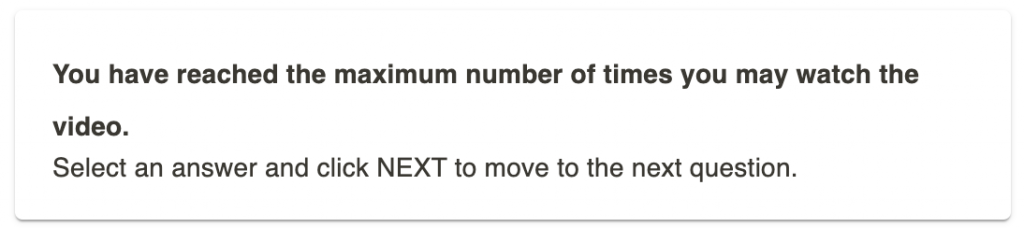
- انقر على زر التشغيل لمشاهدة الفيديو. يمكنك مشاهدة كل فيديو مرتين (2) لكل سؤال. بعد محاولتين، سيصبح الفيديو غير نشط.
- أجب عن السؤال.
- Click the NEXT button in the bottom right of the screen. Scroll down, if necessary. After clicking the NEXT button, you will not be able to go back.

القسم التعبيري (إنتاج ASL الموقع)
يجب إكمال قسم المهارات الاستقبالية قبل قسم المهارات التعبيرية.
Number of Prompts: 3 prompts
Recording Time Limit: 3 minutes for each response
متوسط الوقت: 20-25 دقيقة
1. Read the entire prompt first.
2. Record your response when you are ready to respond:


Watch the recording. Click on the Erase and Re-Record if you want to delete your response and re-record it. You have ONLY ONE chance to re-record your response, if needed.

انقر فوق التالي لإرسال الرد والانتقال إلى الشاشة التالية. بعد النقر فوق التالي ، لن تتمكن من العودة.
نصائح واستراتيجيات قسم المهارات التعبيرية:
- Avant trained raters will evaluate ASL skills including clarity and accuracy of sign production, fluency or smoothness of sign and fingerspelling production, and use of ASL grammar in sentences.
- The correct use of ASL grammar and signing order is essential when responding to prompts. While novice students may initially struggle and occasionally rely on English grammar, this is a natural part of the learning process. However, as you progress through the levels, you are expected to demonstrate increasing mastery of ASL grammar, avoiding English word order and the mouthing of English words. Use non-manual signals including mouth morphemes in ASL signing order.
- أمثلة على قواعد ASL هي استخدام الفضاء ، ونظرات العين ، وعلامات الاتجاه ، واستخدام أنواع مختلفة من المصنفات ، ومؤشرات الوقت ، والإشارات غير اليدوية ، ومورفيمات الفم ، وبنية الخطاب ، وبنية الجملة.
- Please try to maintain a good “signing posture” sitting upright and facing the camera. This will help you show your best ASL skills. Ensure that your entire head, as well as your hands, always remain within the camera’s view, avoiding any signing outside the frame. Failing to do so could negatively impact your final score.
- Please pick a location that doesn’t interfere with your video quality. For example, don’t sit in front of a window, have a bright light behind you, or people walking behind you. Pick a neutral and solid background.
- Please NO face masks, sunglasses, hats, hoodies, or long hair bands covering the forehead or eyes to block non-manual signals. Do NOT chew gum or wear headphones. These things WILL result in a Non-Ratable score.
- Please do not include introductions or greetings at the start of the video unless explicitly requested in the prompt, as they will not be counted. Provide your responses fully and in ASL, addressing the questions as thoroughly as possible.
استئناف التقييم
إذا قمت بتسجيل الخروج ، فقم بتسجيل الدخول مرة أخرى بنفس رمز الاختبار وكلمة المرور واسم تسجيل الدخول. سيأخذك الاختبار إلى القسم الذي توقفت عنده. اتصل بالمراقب أو المعلم للحصول على المساعدة:
- انقر فوق متابعة الاختبار بعد إدخال رمز الاختبار وكلمة المرور.
- أعد إدخال اسم تسجيل الدخول الخاص بك تماما كما فعلت في المرة الأولى.
قم بإنهاء جميع أقسام الاختبار حتى اكتمال الاختبار (ما لم يتم توجيه خلاف ذلك).
استكمال التقييم
عند الانتهاء من الاختبار ، سترى "تهانينا! لقد أكملت الاختبار!" رسالة. يجب عليك إنهاء الاختبار في غضون 90 يوما من بدئه.

الحصول على نتائج التقييم
يتم تسليم نتائج الاختبار إلى مسؤول الاختبار بعد الانتهاء من الاختبار. يجب على المتقدمين للاختبار الاتصال بمسؤول الاختبار لتلقي نتائج الاختبار.