
STAMP for CEFR assesses four skills: Reading, Writing, Listening, and Speaking. Scores are reported on the Common European Framework of Reference for Languages (CEFR) scale, from Pre-A1 (1) to C1 (6). This guide explains how to access, review, print, and download STAMP for CEFR results.
Access Test Results
Log into the Results Report

To access the STAMP for CEFR Results Report, follow these steps:
- Go to https://app.avantassessment.com/login.
- Enter the Test Code and password provided by Avant Assessment.
- Click LOG IN button.
To see how to access the Results Report via 聪明 or ClassLink, go to the 集成 page.
Overview Screen
If you are using a district/organization or school/sub-organization viewing code, use the School/Location List to drill down to the desired class/testing group. To request a school/district login, contact Avant Support.
The testing group overview screen shows a score summary followed by a list of test takers. Results are organized by Reading, Writing, Listening, and Speaking, along with a Composite Score. Click a Report icon to view an individual report, or click a test taker’s name to review section details and responses.

Test Taker Search
District and School admins can search for students by clicking the “Test Taker Search” button on District or School report screens.
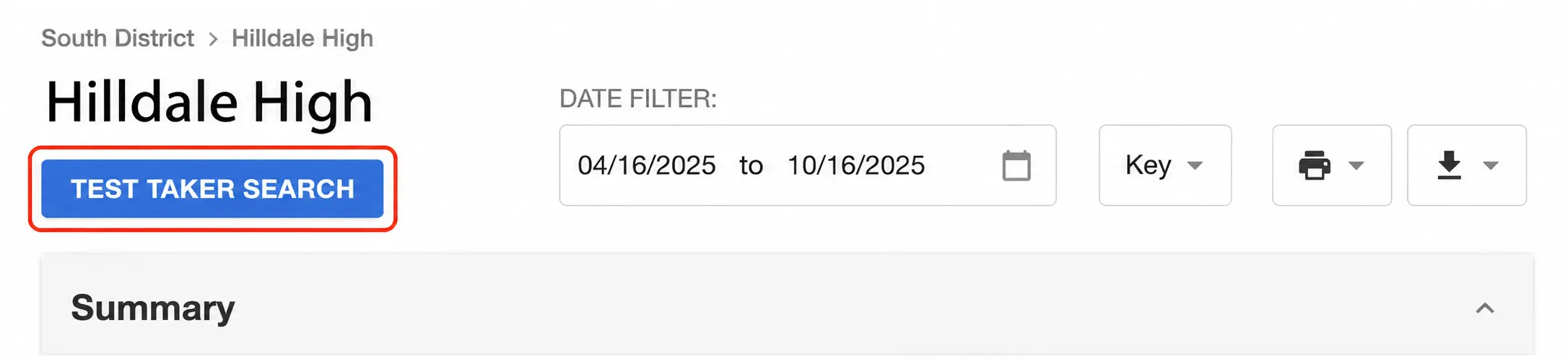
The Test Taker Search feature includes a set of filters such as “Language“, “First name“, “Last name” and “Date Range“. Click “Search” to see all test takers that match your filters.
To print reports check the box for each test taker you want to print and then click “Print“.
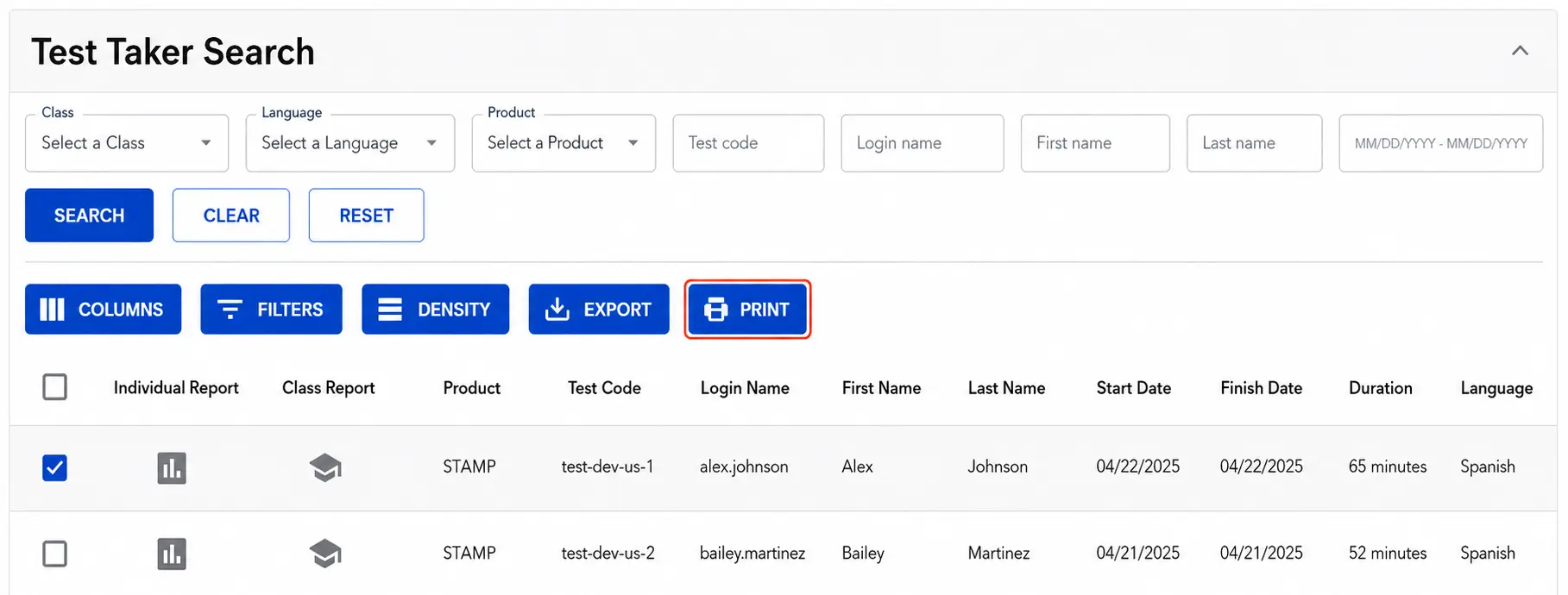
Note: The Date Range in Test Taker Search defaults to Last 24 Months. Select another preset or Custom Range to search a different period. If an expected test taker does not appear, expand the date range or clear the filters.

Date Filter
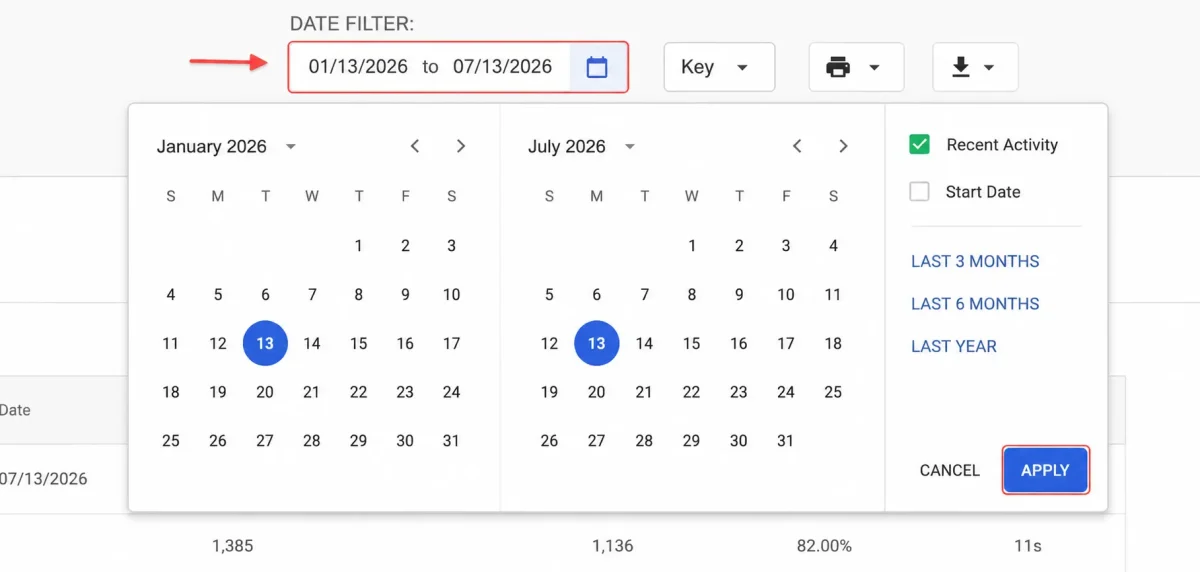
By default, the Date Filter shows test results from the last 6 months.
To select a different time frame, type the date or click on the calendar. Then, click APPLY. There are also presets that can be selected to show the Last 3 Months, Last 6 Months, and Last Year of testing. The Date Filter can also be modified to search by Start Date or Recent Activity.
Monitor Test Progress
Testing Coordinators can use the Results Report to:
- Look up a test taker’s Login Name.
- Track progress across the Reading, Writing, Listening, and Speaking sections.
- Review available scores and open individual reports.

1. Look up how the test taker’s Login Name was entered.
2. Track test takers’ progress.
3. Review test results.
Test Score and Status
STAMP for CEFR levels are aligned with the Common European Framework of Reference for Languages (CEFR). The six reported levels are Pre-A1 (1), A1 (2), A2 (3), B1 (4), B2 (5), and C1 (6). These fall into three major groups: A Level (Pre-A1, A1, A2), B级 (B1, B2), and C级别 (C1). See the STAMP 用于CEFR等级和评分指南 for the official scoring scale.

Statuses

NS (Not Started): The test taker has not started this section. If all four sections show NS, the test taker has completed only the Profile.

IP (In Progress): The test taker has started but has not completed this section. For 撰写 and 讲话, click IP to check how many responses have been submitted.

SP (Scoring in Progress): A Writing or Speaking section has been submitted, but the rating is not yet complete for one or more responses. Click SP to review scoring progress.

NR (Not Ratable): A Writing or Speaking section may show NR when raters cannot rate any of the submitted responses. See possible reasons for NR (Not Ratable).

Zero Score (0): A zero may be assigned to an individual Writing or Speaking response that does not contain ratable language, such as a non-attempt, non-target-language response, off-topic response, or testing-rule violation. See possible reasons for a Zero Score (0).
Review Test Results
Reading and Listening Section Scores
The 阅读 and 倾听 sections are computer-adaptive and computer-scored. Their level scores are available after the test taker completes each section. Refresh the Results Report to see updated results.
Scaled Scores

In addition to a CEFR level, the 阅读 and 倾听 sections provide Scaled Scores. These offer a more detailed measure of performance within each CEFR level and can help track growth over time. Writing and Speaking do not have scaled scores. See the STAMP 用于CEFR标度分数指南 for the official ranges.
Writing and Speaking Section Scores
撰写 and 讲话 responses are rated by Avant Certified Raters. Writing responses are submitted as text, and Speaking responses are submitted as audio recordings. Scores are typically available within 25 business days after the completed assessment is submitted. Check the Results Report periodically for scoring updates.
Accessing Writing and Speaking Responses
You can read submitted 撰写 responses and listen to recorded 讲话 responses. Click the Writing or Speaking section score or status to open that section’s details.
Click Response 1, Response 2, or Response 3 to open the response for a specific task. Reviewing the response can also help explain a Zero (0) or NR (Not Ratable) result.

High (H) and Low (L) Indicators for Individual Responses
High (H) and Low (L) indicators show differences in performance among a test taker’s individual Writing and Speaking responses. When displayed in the section details, these indicators provide additional information within a CEFR level, much as scaled scores do for Reading and Listening.
Composite Score
The Composite Score becomes available when all four skills have been completed and scored. For a four-skill STAMP for CEFR assessment, the Composite Score is the average of the four section levels: (Reading + Writing + Listening + Speaking) ÷ 4. For example, levels 4, 5, 4, and 5 produce a Composite Score of 4.5.
Testing Group Averages
The summary chart shows group averages for Reading, Writing, Listening, Speaking, and the Composite Score. Each skill average includes test takers with an available score for that skill; the Composite average includes test takers with an available Composite Score. CEFR averages may appear as decimal values even though individual section levels are whole numbers from 1 through 6.

Distribution of Test Takers Across Levels
The bar graphs show what percentage of test takers scored at each CEFR level for the four skills: Reading, Writing, Listening, and Speaking. Each skill has its own distribution, and levels range from Pre-A1 (1) through C1 (6).


个人报告
Access, print, and download individual STAMP for CEFR reports. For a complete report containing all four skills and the Composite Score, wait until testing and rating have finished.
How to access Individual Reports for one or all test takers
Create Individual Report for a specific test taker:
- Click on the Report icon
 to access the Individual Report for a test taker.
- Click on the Printer icon
 to print out the Individual Report. You will see a printer dialog box within your browser.
- You can create a PDF version of the report if your printer selection includes a PDF writer.
- You can print out an Individual Report on one page by clicking “More Settings” and adjusting the Scale.
Create Individual Reports for multiple or all test takers on the list:
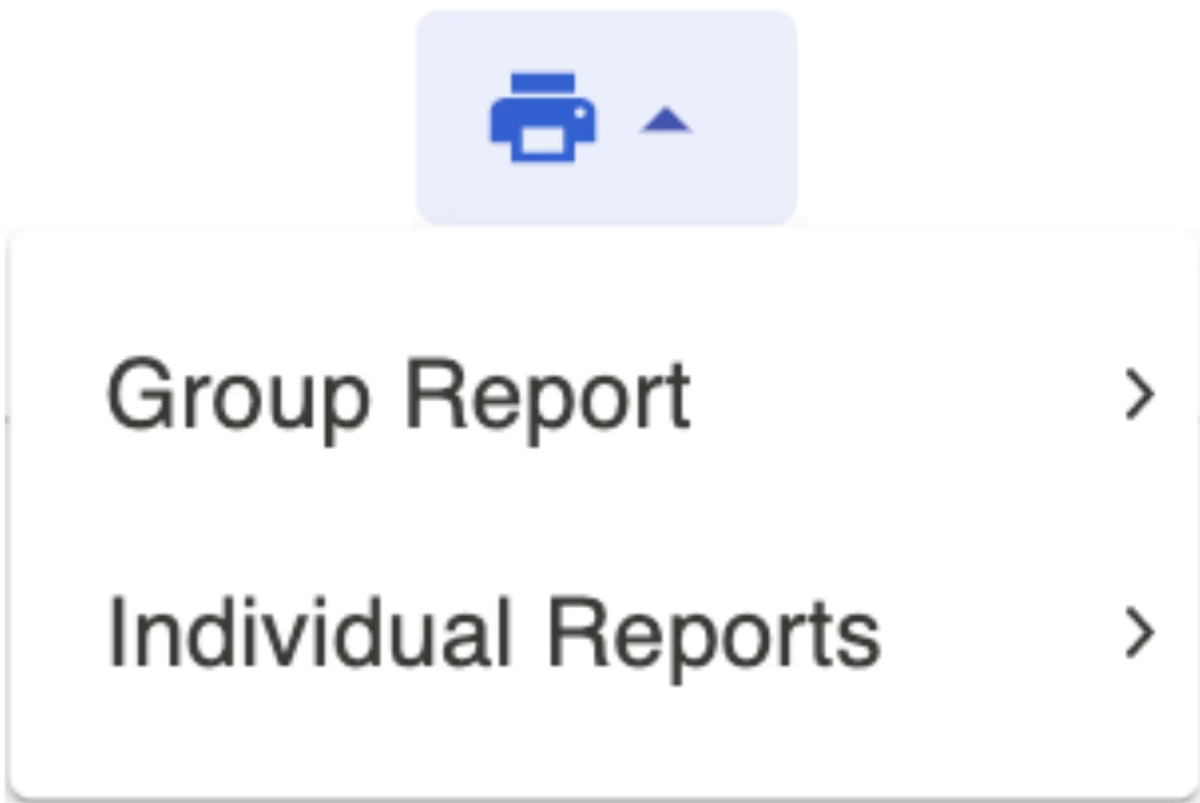
- Click the box to the left of the test takers for which you wish to generate reports.
- Click on the Printer icon, then click on 个人报告 and then click on either All or Selected.
- Click on the Printer icon on the report.
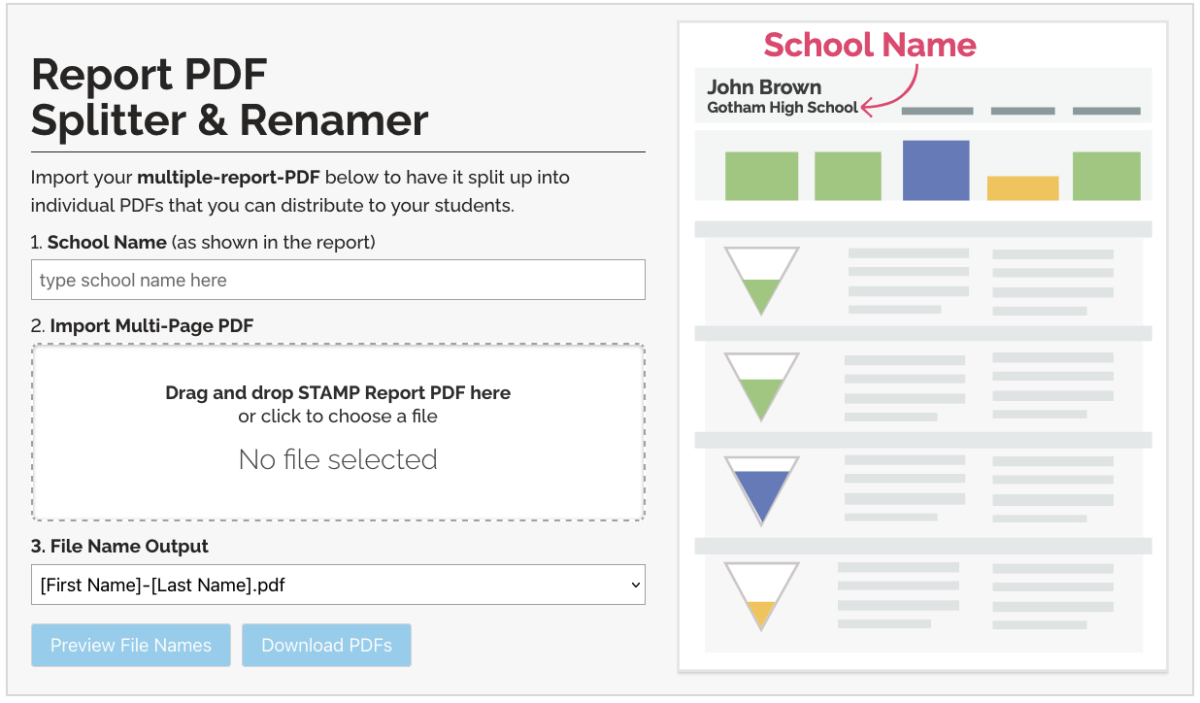
PDF Splitter Tool
When you download multiple Individual Reports, they are combined into a single PDF.
Some schools prefer to distribute a separate PDF to each test taker. Use our PDF Splitter Tool to split the combined PDF into individual files named for each test taker (for example, Joe-Brown.pdf or Jane-Smith.pdf).
Individual Report Example

Individual Reports include the following information:
- Reading Section level (computer-scored by Avant), plus its Scaled Score
- Writing Section level (rated by Avant Certified Raters)
- Listening Section level (computer-scored by Avant), plus its Scaled Score
- Speaking Section level (rated by Avant Certified Raters)
- Composite Score
- Level Descriptions
- Suggestions to Power Up to the next level
Each test taker’s report includes a scoring graphic for Reading, Writing, Listening, and Speaking, indicating the CEFR level attained. A Composite Score summarizes performance across the four skills.
The 阅读 and 倾听 level graphics are available when the test taker completes those sections. The 撰写 and 讲话 level graphics appear after Avant finishes rating the submitted responses.
For the 撰写 and 讲话 sections, an additional shaded area may appear when a response is rated at a higher level. This indicates a range of proficiency across the test taker’s responses.
The Level Description field explains what a test taker at a given CEFR proficiency level can generally do in each skill.
The Suggestions field provides ideas to help test takers develop their skills and advance to the next level. See the Avant Power Up Guide for more information.
If desired, distribute the Individual Report to test takers or parents along with the STAMP 用于CEFR等级和评分指南.
Download Results Summary
Download a CSV file containing STAMP for CEFR test taker information, section results, and reporting data. For the most complete results, wait until all testing and rating have finished.
How to Download a CSV File

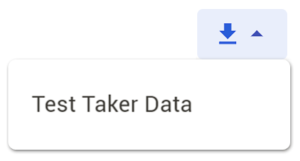
- Click the Download button. When the file options become available, select Test Taker Data.
- Follow the prompts to save the file to your computer.
What the CSV File Includes
The Test Taker Data download creates a comma-separated values (CSV) file that you can open in Excel or another spreadsheet application. You can sort, filter, or create a customized report using the fields you need.
Information in the CSV file falls into three groups:
Test Taker Login and Profile Information
- Test Code, Login Name, First Name, Last Name, Grade (optional), Test Taker ID, and Test Taker Email (optional). Learn more about the STAMP for CEFR Test Taker Profile.
Testing Group Information
- Test Code, State, District, School, Testing Group Name, and Language.
Test Results and Test Status
- Fields can include Reading Score, Reading Scaled Score, Reading Length of Time, Writing Score, Writing Length of Time, Listening Score, Listening Scaled Score, Listening Length of Time, Speaking Score, Speaking Length of Time, Test Status, Composite Score, Start Time, Test Length, and Finish Time. Depending on the testing setup, additional fields may include remote proctoring and badge eligibility information.
Retakes and Resets
Under certain circumstances, retesting and resetting portions of the test may be permitted. For details about eligibility and requests for resetting, retaking, or reviewing a section, see the STAMP 分数政策.