Avant STAMPe Overview

Avant STAMPe 是一个基于网络的测试,用于评估语言能力。它有4个部分:阅读写作听力口语

阅读

~30个选择题

撰写

2 个提示

倾听

~30个选择题

讲话

2 个提示

Beginning the Assessment

  • Your teacher or proctor will help you to log in.
  • After that, you will complete a profile.

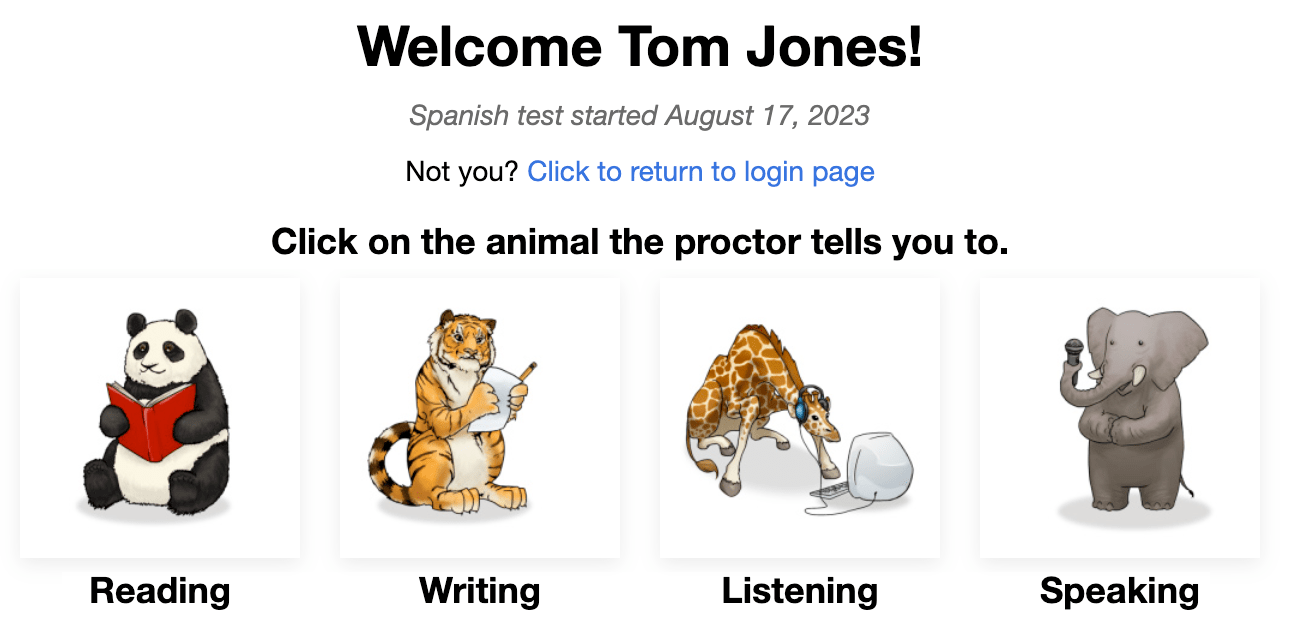
You will then see a screen with a picture of four animals – one for each section of the test. Your teacher will tell you which animal to click.

At the beginning of each section, you will see​:

  • Instructions. Please read them carefully. You also can listen to them in the testing language.
  • Practice question/prompt. Do not spend too much time on this question. Remember that this is only a PRACTICE question/prompt, it does not count in the final score.

After answering each question, click the NEXT button on the bottom right of the screen. Scroll down, if necessary. After clicking the NEXT button, you will not be able to go back.

After the last question in each section of the test, a message tells you that you are done with the section. Click the button to select another section, then click the animal the teacher tells you to.

测试规则

测试在一个无外部资源允许的监考环境中进行。

  1. 请勿点击测试窗口外的任何地方。 这将被追踪并会使您从测试中退出。
  1. 不要使用任何支援材料(例如,字典,教科書,手機,應用程序,消息工具,或如Google翻譯等翻譯輔助工具)。
  1. 不要做笔记(纸质或电子)。纸张、笔、铅笔、触控笔等都是不允许的。
  1. 不要阅读/使用任何笔记或支持材料来进行你的口头/表达回应。
  1. 在考试期间,除了监考员,不要与任何人交流
  1. 不要分享测试问题或提示。 不要复制、打印或截取测试的屏幕快照。
  1. 请勿在您的回复中使用暴力、亵渎或不适当的语言

Reading Section

Number of Questions: approximately 24 multiple-choice questions

Average Time: 25-35 minutes 时钟图标。

Please read the instructions carefully. Click on the blue play button to listen to them in the testing language. Click the NEXT button to move to the questions. 

  • Answer the question.
  • Click the NEXT button, in the bottom right of the screen. Scroll down, if necessary. After clicking the NEXT button, you will not be able to return to the question.
STAMPe Reading Section.

Writing Section

Number of Prompts: 1 practice prompt and 2 test prompts

Character Limit: Up to 2500 characters (400-600 words) for each response

Average Time: 15 minutes 时钟图标。

  • Please read the instructions carefully. Click the blue play button to listen to the prompt in the testing language. You can listen to the recording two (2) times. After two attempts, the button will become inactive.
  • Click the NEXT button to move to the next screen. 
STAMPe Write Section beginning.
  • Read the entire prompt first. Click the blue play button to listen to the prompt in the testing language. 
  • Type your response in the text box. The test will auto-save it every 10 seconds.
  • Click NEXT to submit the response and move to the next prompt.  After clicking NEXT, you will not be able to go back.
STAMPe Writing section

Writing Section Tips:

  1. Read the entire prompt first.
  2. Write in the language you are testing.
  3. Use complete sentences.
  4. Write as much as you can. Include as many details as possible.
  5. Organize your thoughts.

Listening Section

Number of Questions: approximately 24 multiple-choice questions

Average Time: 25-35 minutes 时钟图标。

Please read the instructions carefully. Click on the blue play button to listen to them in the testing language. Click the NEXT button to move to the questions. 

  • Click the blue play button to listen to the recording and question, which will play twice. You can click the blue play button only two (2) times. 
  • Answer the question.
  • Click the NEXT button, in the bottom right of the screen. Scroll down, if necessary. After clicking the NEXT button, you will not be able to return to the question.

Speaking Section

Number of Prompts: 1 practice prompt and 2 test prompts

Recording Time Limit: You will have three (3) minutes of recording time for each Speaking response 

Average Time: 15 minutes 时钟图标。

Please read the instructions carefully. Click on the blue play button to listen to them in the testing language. Click the NEXT button to move to the next screen.

STAMPe Speaking Instructions
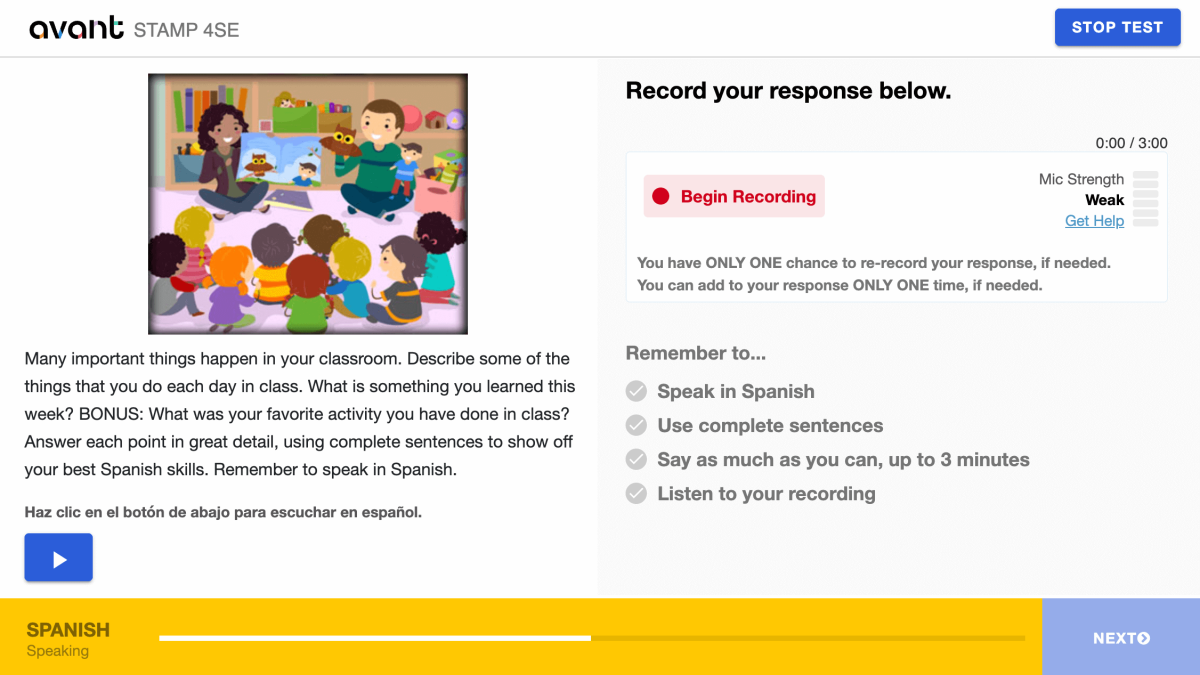
  • Please read the instructions carefully. Click the blue play button to listen to the prompt in the testing language. You can listen to the recording two (2) times. After two attempts, the button will become inactive.
  • Click “Begin Recording” to record your response. 
STAMPe Speaking Section
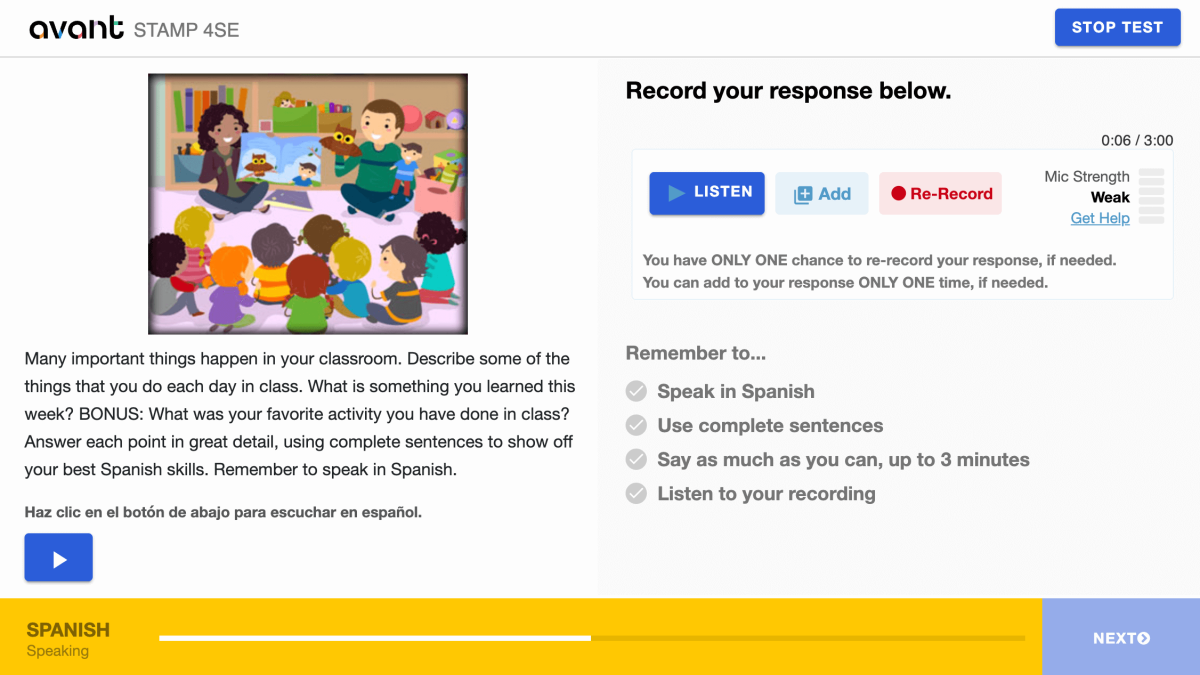
  • Click “Stop Recording” when you are finished.
  • Click “Listen” to play your recording.
    • Click the + Add if you want to add to your recording. You can add to your response ONLY ONE time, if needed.
    • Click on the Re-Record if you want to delete your response and re-record it. You have ONLY ONE chance to re-record your response, if needed.
  • Click the NEXT button to submit your response. After clicking NEXT, you will not be able to go back. 
STAMPe Speaking Section finished

Speaking Section Tips:

  1. Read the entire prompt first.
  2. Speak in the language you are testing.
  3. Use complete sentences.
  4. Say as much as you can. Include as many details as possible.
  5. Organize your thoughts.

Resuming the Assessment

If you get logged out, log back in with the same Test Code, Password, and Login Name. The test will take you to the section where you left off. Contact your proctor or teacher for help:

  • Click Continue Test after entering the Test Code and Password.
  • Re-enter your Login Name exactly as you did the first time.

Finish all sections of the test until the test is completed (unless otherwise directed).

Completing the Assessment

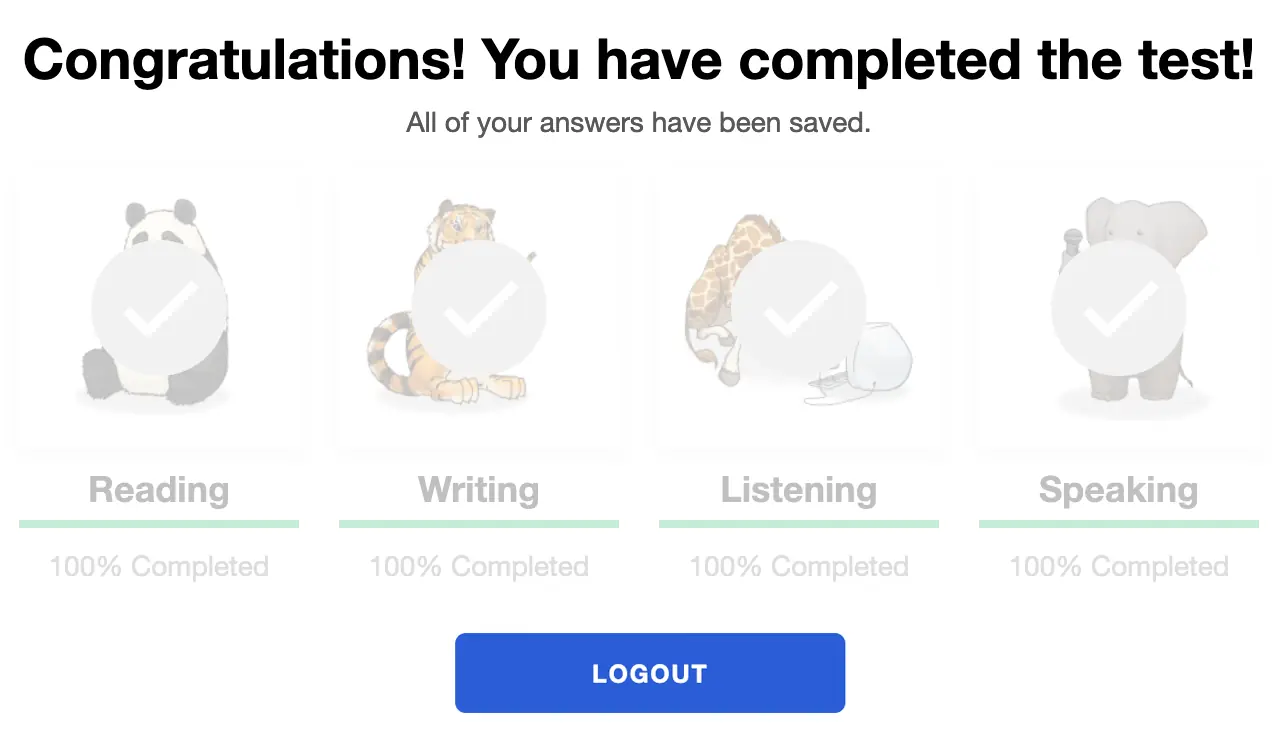
When you have completed the test, you will see the “Congratulations! You have completed the test!” message. You must finish the test within 90 days of starting it.

main screen after finishing all 4 sections.

Getting Assessment Results

Test results are delivered to the testing coordinator after test completion. Test takers should contact their testing coordinator to receive test results.

Check out the STAMP Benchmarks and Rubric Guide, and 考试者能力提升指南 to know what is required to achieve a specific test level.

准备考试

为了帮助每个考生准备,我们确实有一些资源可以提供帮助:

样本测试

显示测试的样子,并给出初级,中级和高级问题和提示的例子。它不会显示测试的计算机适应性,并且最后不会给出分数。

视频教程

帮助考生理解如何发挥最佳水平并在考试期间应该期待什么。

撰写示例

对于许多语言,我们为每个级别提供了真实的写作回应示例。考生可以对照他们所知道的,以理解每个级别所期待的语言类型。

基准和评分标准

这份指南有助于理解测试的评分方式,并提供了可能在阅读和听力部分的每个级别使用的问题主题。
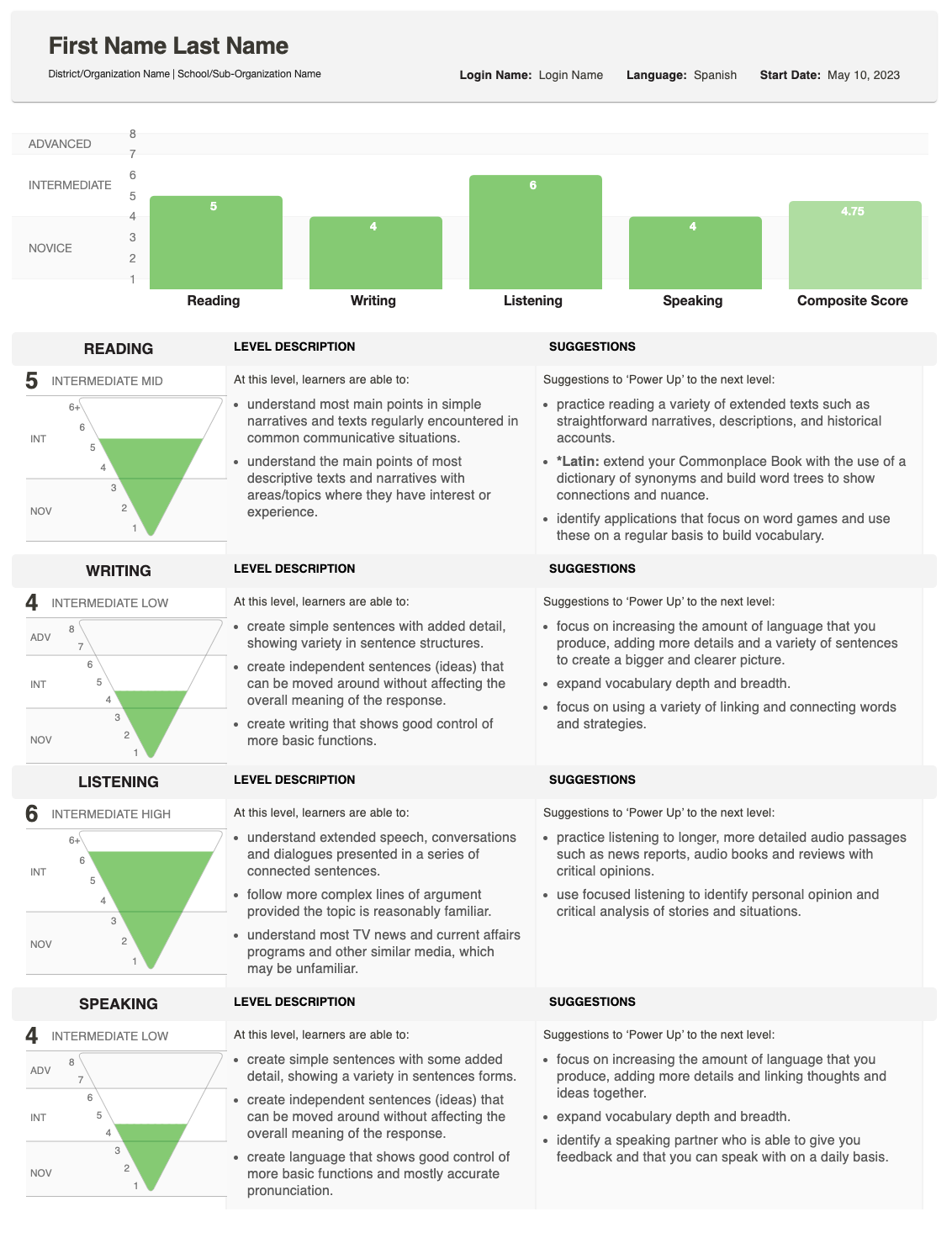
评估结果

评分完成后,结果将提供给负责管理测试的学校或组织。

该报告显示了您的学生在写作口语方面的表现,并给出了总体(综合)成绩。

如需详细了解分数是如何确定的,请查看基准和评分指南,该指南描述了每个级别所期望的内容。如果您对个别学生的分数有疑问,请联系进行测试的学校或组织。

更新:
一月
这个指南有帮助吗? 是的